Maintenance · 3 min read
Staying on Top of Home Maintenance
How do I keep track of home maintenance tasks?
Eelay builds a maintenance plan from the systems in your home and sorts tasks into Urgent, Upcoming and Done. Open a task to see why it matters and how to do it, then mark it done. Recurring tasks come back automatically when they're due again.
- Never wonder what's due this month
- Simple, step-by-step guidance for each task
- Optional weekly email of what needs attention
Step by step
Open Maintenance
Select Maintenance in the menu. Urgent shows overdue tasks; Upcoming groups tasks into This Month, Coming Soon and Later.
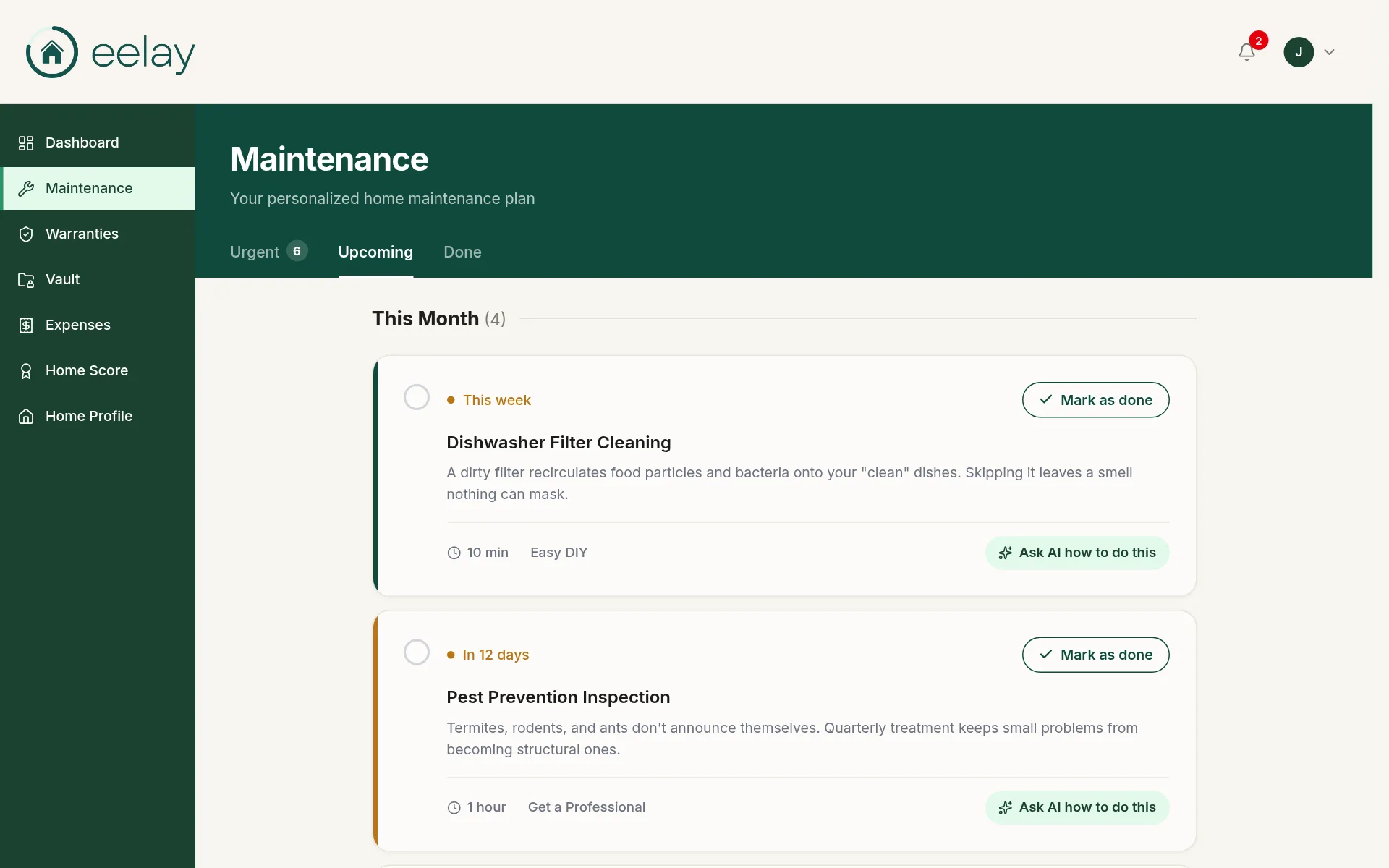
Tap the screenshot to see it full size. See what each task involves
Every task explains why it matters, roughly how long it takes and whether it's an easy DIY job or one for a professional. Choose Ask AI how to do this for step-by-step help.
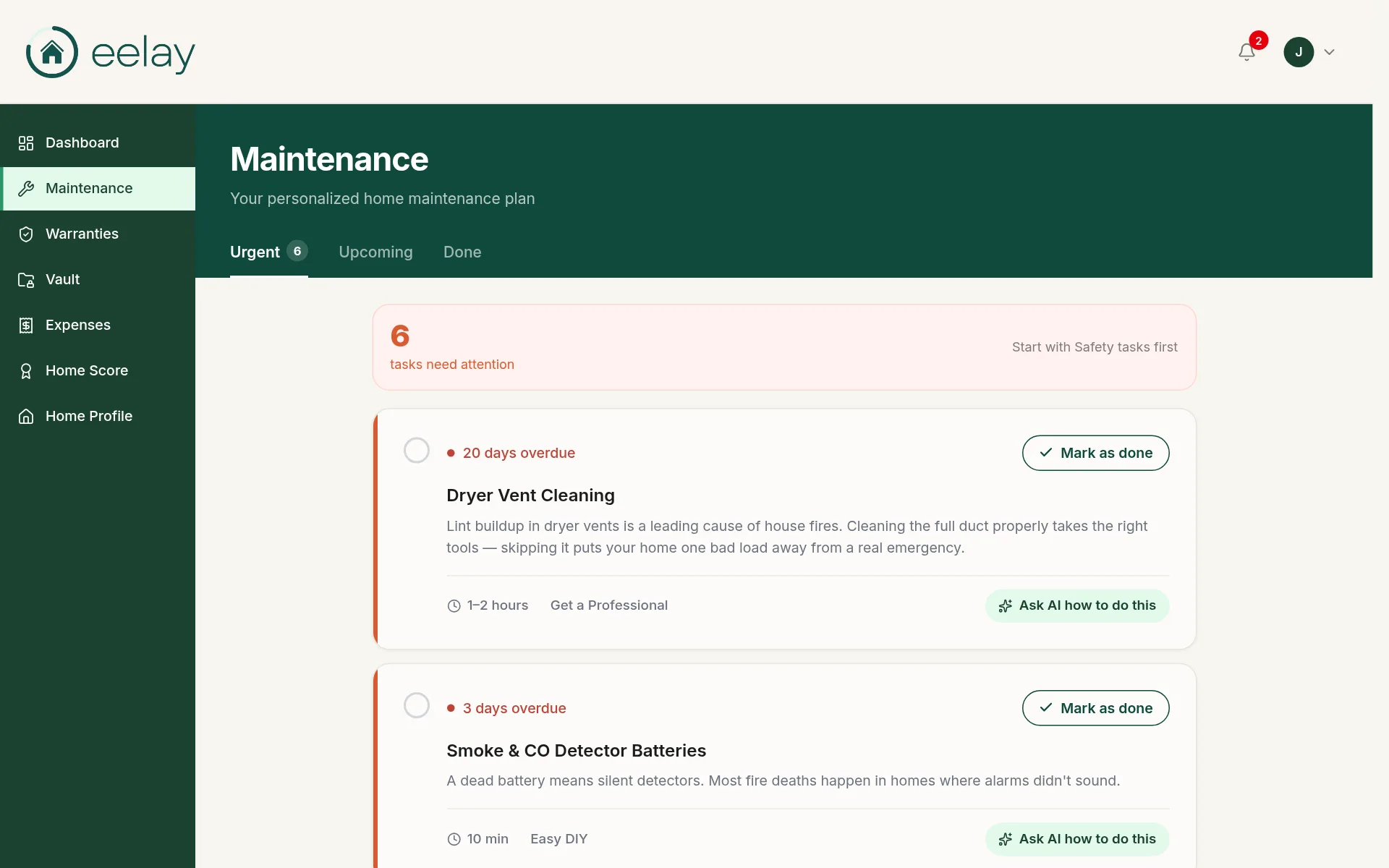
Tap the screenshot to see it full size. Mark it done
When you finish, choose Mark as done. The task moves to Done and your Home Score updates.
Common questions
- Will I get reminders for appliances I don't have?
- No. Your plan only includes tasks for the systems and appliances in your home profile.
- What happens after I complete a recurring task?
- It returns to your plan the next time it's due.