Home Score · 3 min read
Understanding Your Eelay Home Score
What is a home score and how do I improve it?
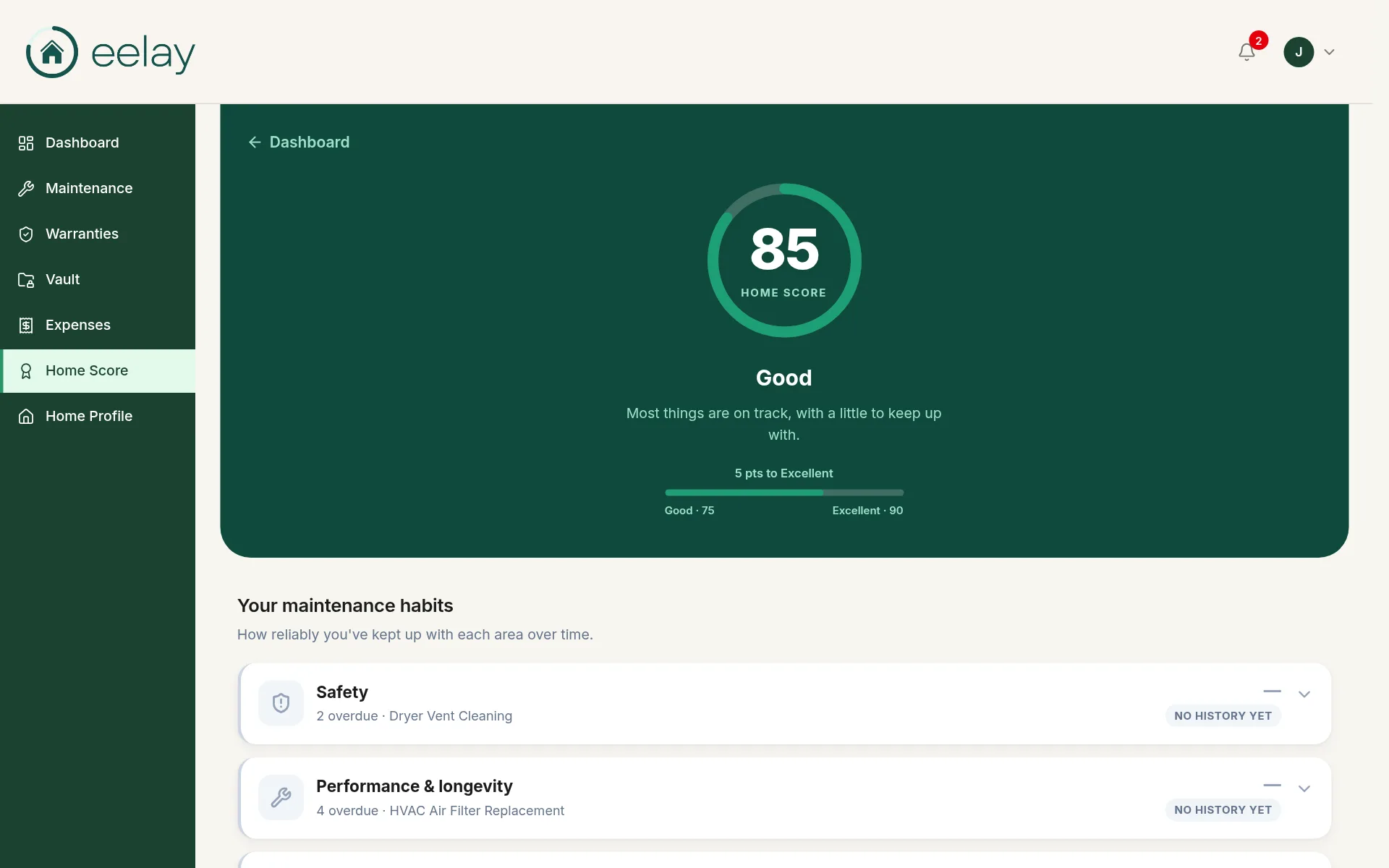
The Eelay Home Score is a 0–100 signal of how well your home is being cared for. It rises as you keep up with maintenance and falls when important tasks become overdue. The quickest way to improve it is to complete your overdue tasks.
- Know at a glance whether your home is on track
- See what is helping and what is holding your score back
- Stay motivated with a clear next milestone
Step by step
Find your score
Your Home Score appears on the Dashboard. Select Home Score in the menu to see the full breakdown.
Tap the screenshot to see it full size. Read your rating
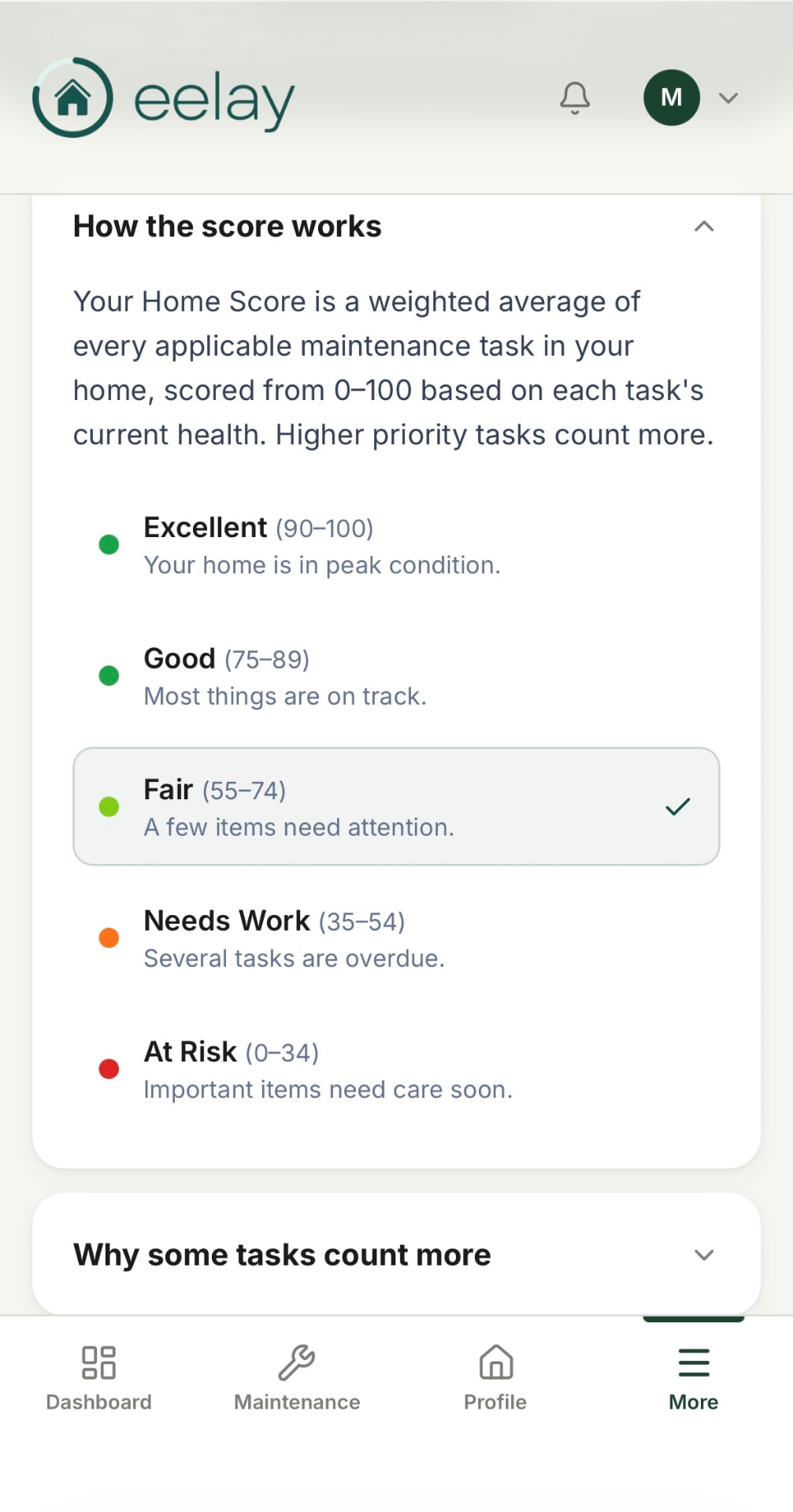
Each score has a rating: At Risk, Needs Work, Fair, Good or Excellent, with a short note about what it means for your home.
Tap the screenshot to see it full size. Understand your maintenance habits
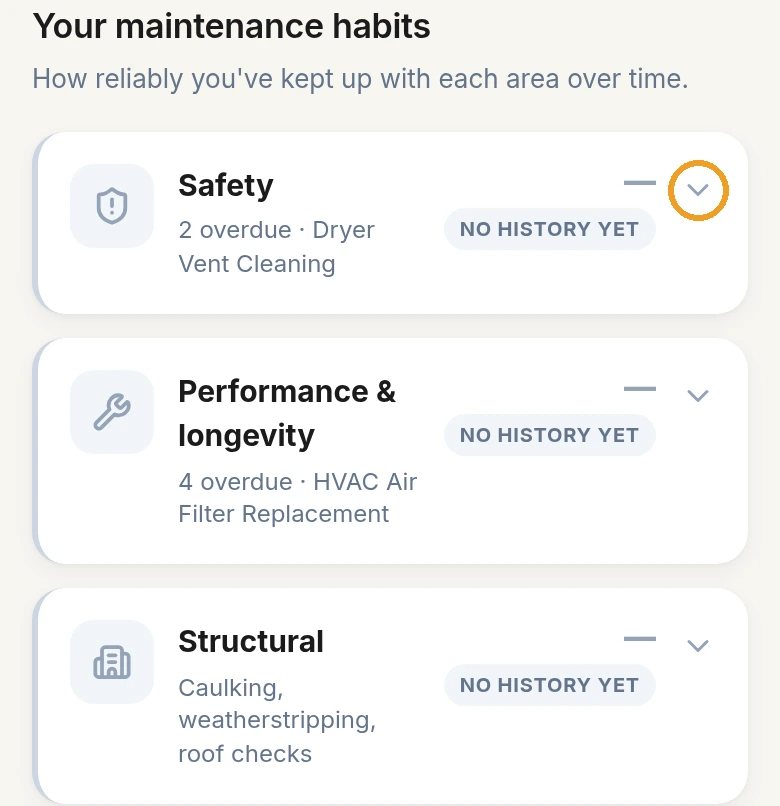
Scroll to Your maintenance habits to see how consistently you've cared for three areas: Safety, Performance & longevity, and Structural. The percentage describes your maintenance track record in that area, not your overall Home Score. On track means you're keeping up; Falling behind or Action needed shows where to focus. The overdue count tells you how many tasks still need attention. No history yet means there isn't enough recorded completion history to show a percentage — as in this demo home.
Tap the screenshot to see it full size. Tap an area to see what needs attention
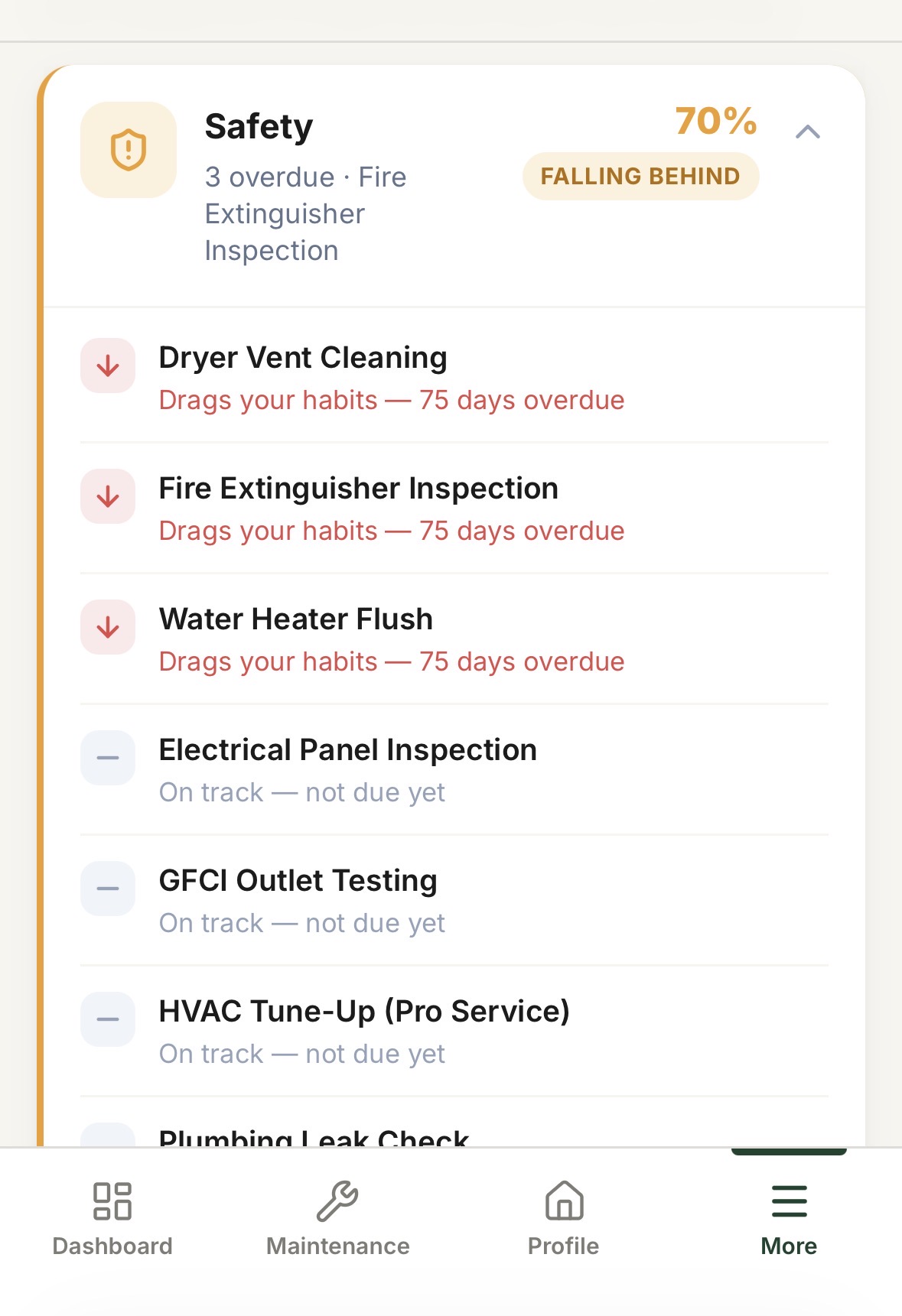
Tap a card or its arrow to expand the task list. You'll see tasks completed on time, completed late, overdue, or not due yet. Start with the overdue items, then go to Maintenance to complete them and mark them done. Tap the card again to close the list.
Tap the screenshot to see it full size. See what affects it
The Home Score page shows what is lifting your score and what is dragging it down, so you know exactly where to focus.
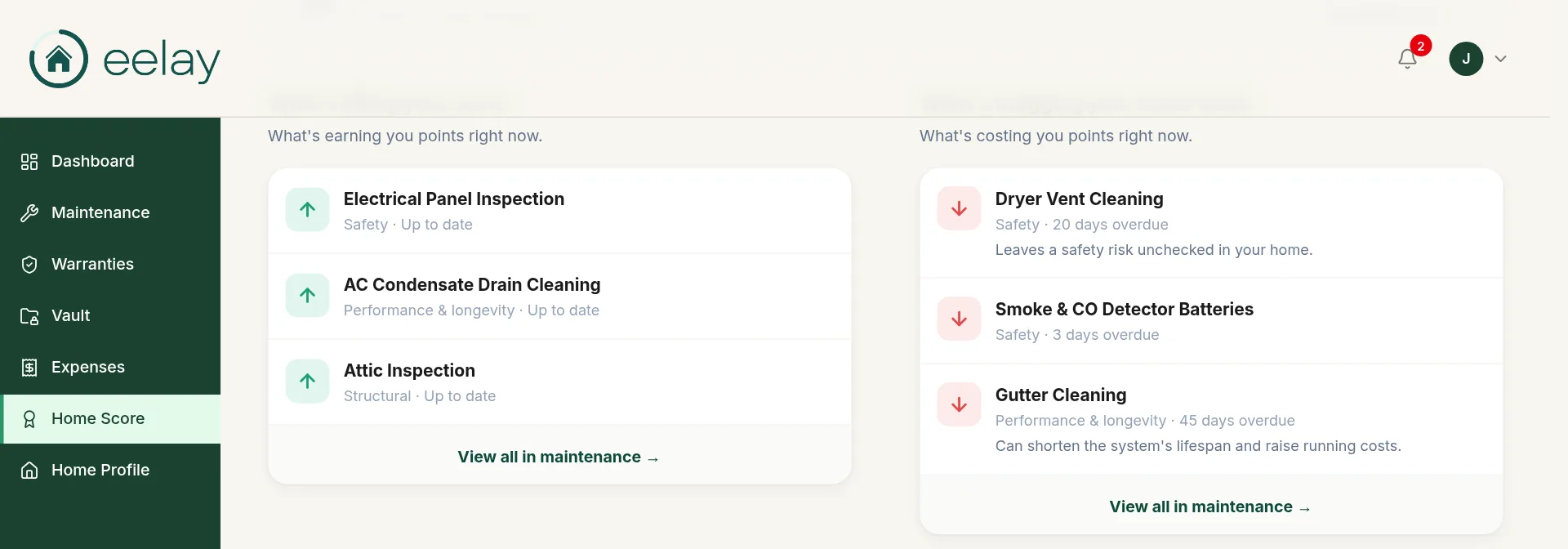
Tap the screenshot to see it full size. Complete tasks to climb
Open Maintenance and mark overdue tasks done. Your score updates as you go.
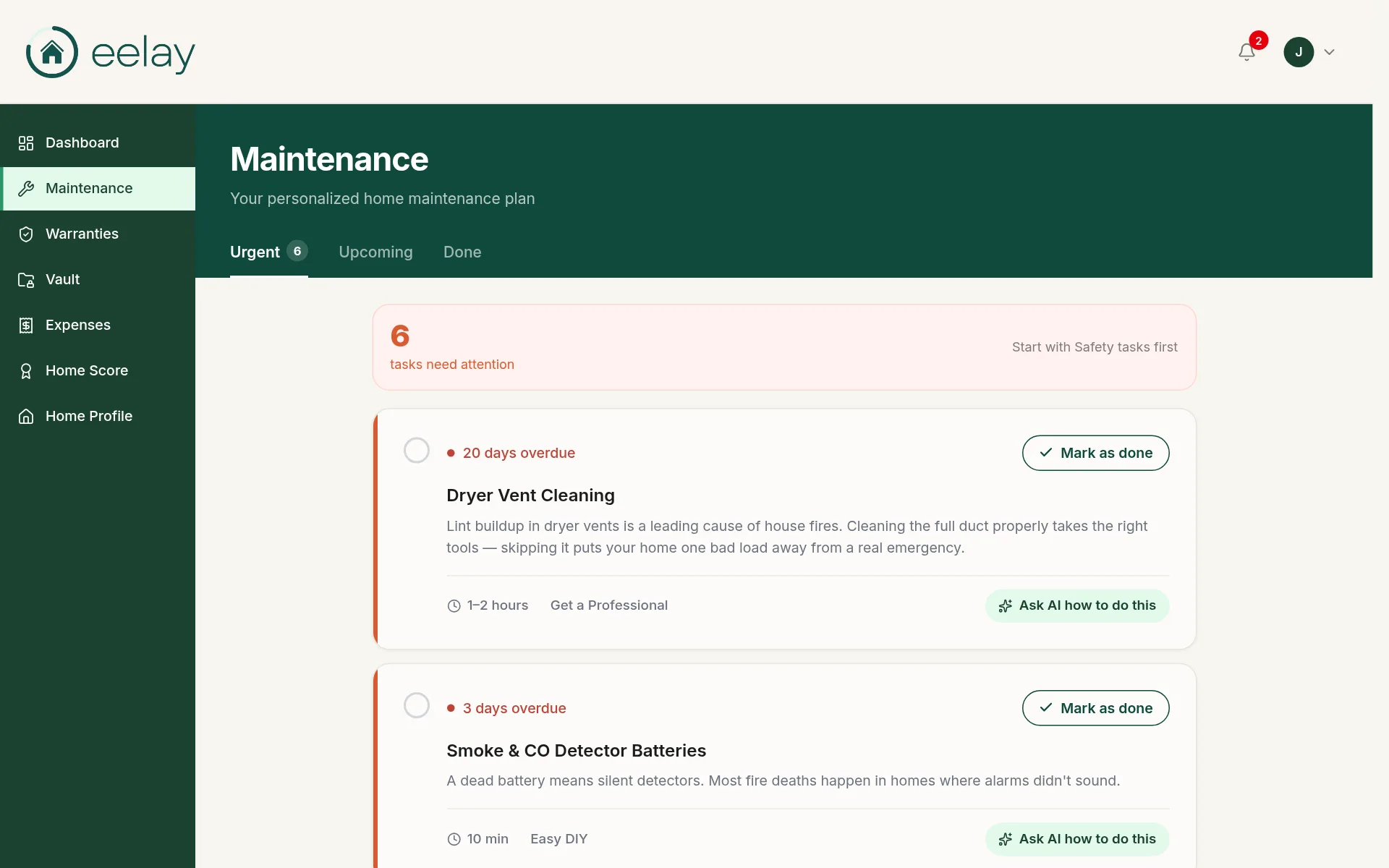
Tap the screenshot to see it full size. Tip: Higher-priority tasks, like safety checks, make the biggest difference.
Common questions
- Do free members get a Home Score?
- Yes. Every Eelay account, free or paid, includes the Eelay Home Score.