Home Profile · 3 min read
Managing Home Systems and Service Providers
How do I keep records of my home's systems and service history?
Open Home Profile, select a system like HVAC or Water Heater, and add its details and last service date. Eelay uses that date to schedule the next task, and you can attach documents without leaving the page.
- Every system's details in one place
- Reminders based on when service was really done
- Records ready for repairs, insurance or resale
Step by step
Open Home Profile
Select Home Profile in the menu to see your home's systems and appliances.
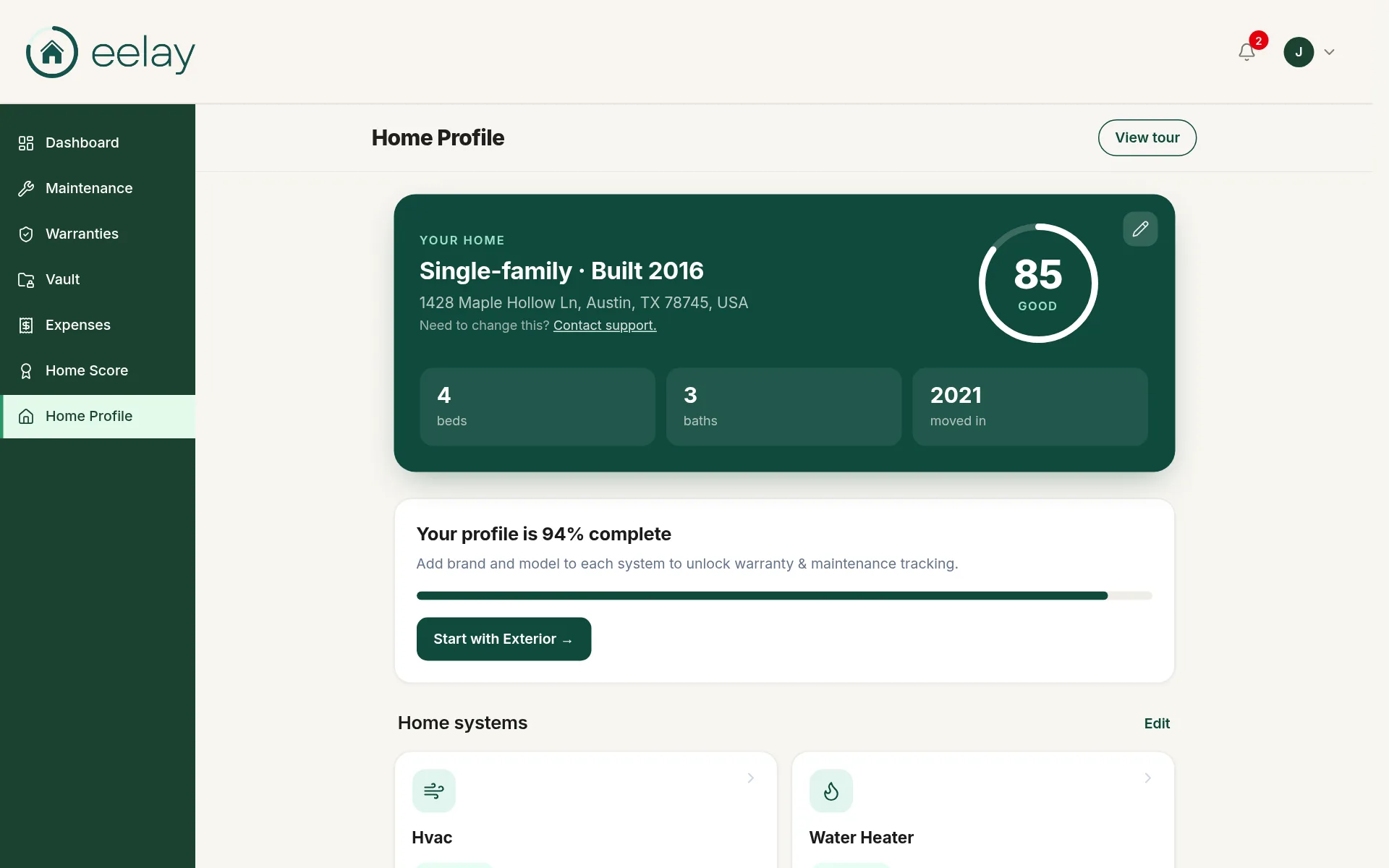
Tap the screenshot to see it full size. Choose a system
Under Home systems, select a system to view and edit details like brand, model and install date.
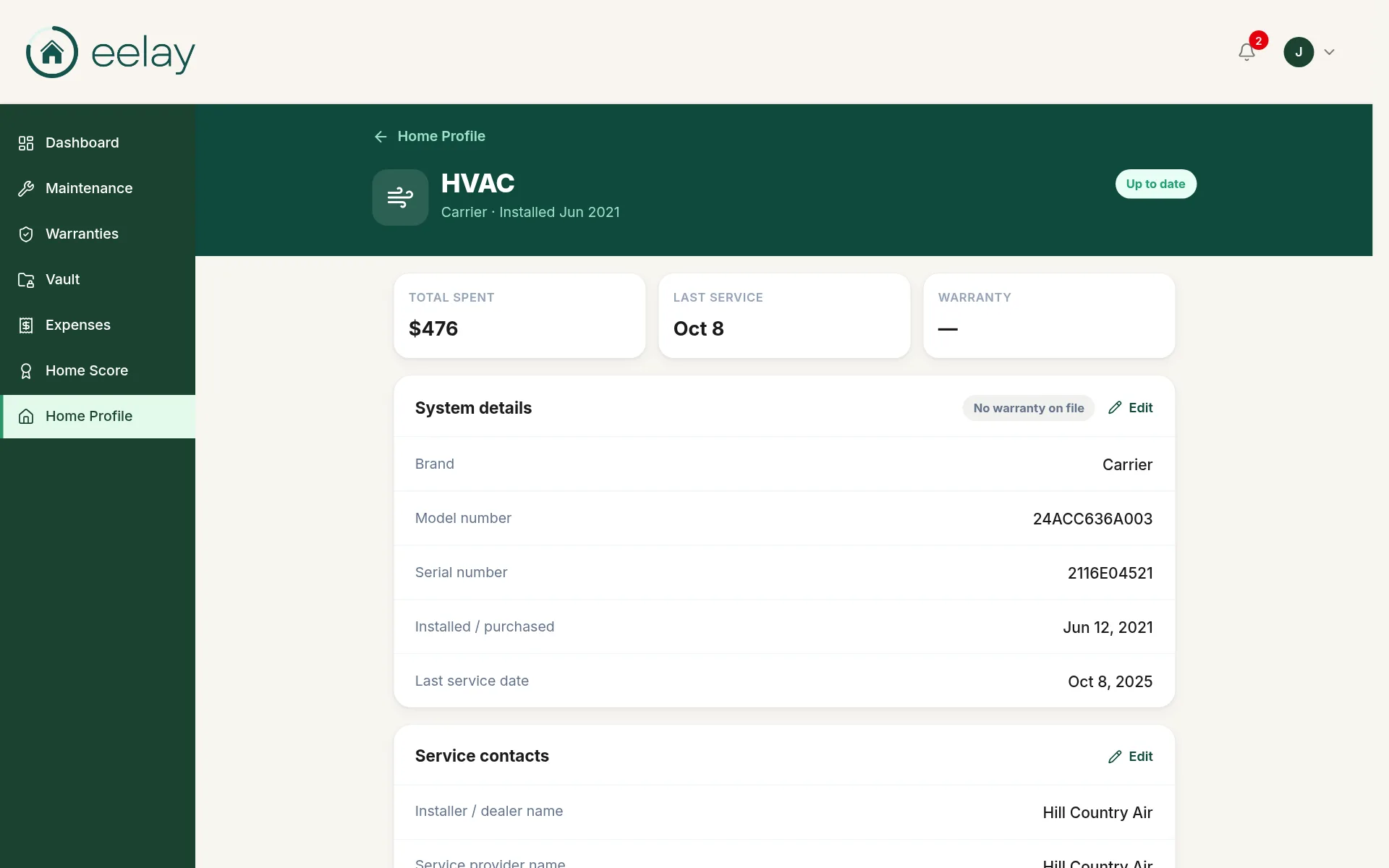
Tap the screenshot to see it full size. Add the last service date
Enter when the system was last serviced. Your next related task is scheduled from that date.
Tap the screenshot to see it full size. Attach documents
Upload a manual or receipt right from the system page. Your other entries stay in place while you upload.
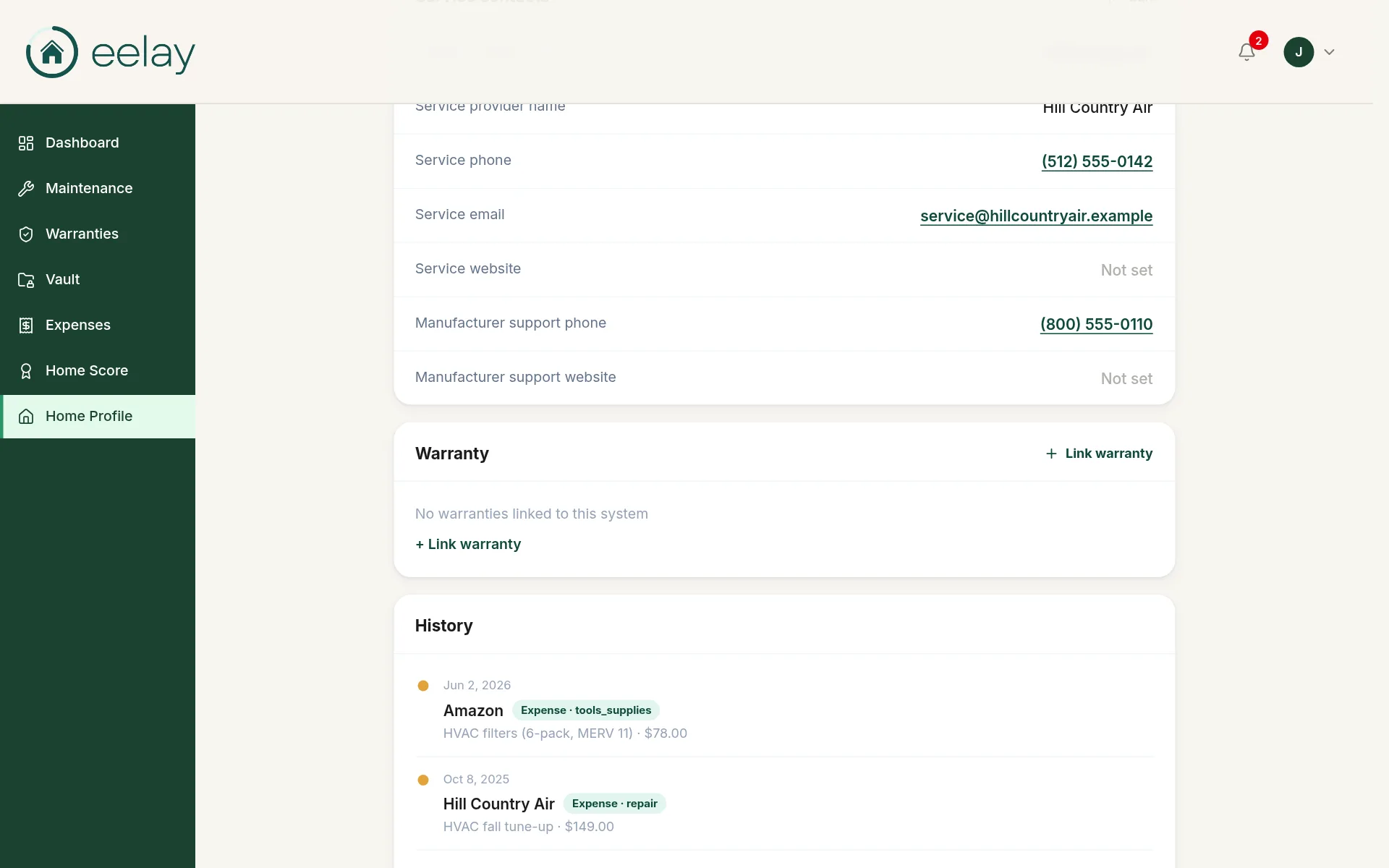
Tap the screenshot to see it full size.
Common questions
- Can I store service provider details?
- You can keep provider names and notes with system details and the documents you upload, like invoices.
- Where do I see what I've spent on a system?
- Home Profile includes a Home Investment summary with a link to all expenses.