Expenses · 3 min read
Tracking Home Expenses and Repairs
How do I track home repair and maintenance costs?
Go to Expenses in Eelay, add an expense with the amount, date and the system it's for, and attach a receipt if you have one. Eelay keeps a running history so you can see spending by system and over time.
- Know what you've spent on your home this year
- Spot repeat repairs early
- Receipts ready for warranties, taxes or resale
Step by step
Open Expenses
Select Expenses in the menu to see your spending history.
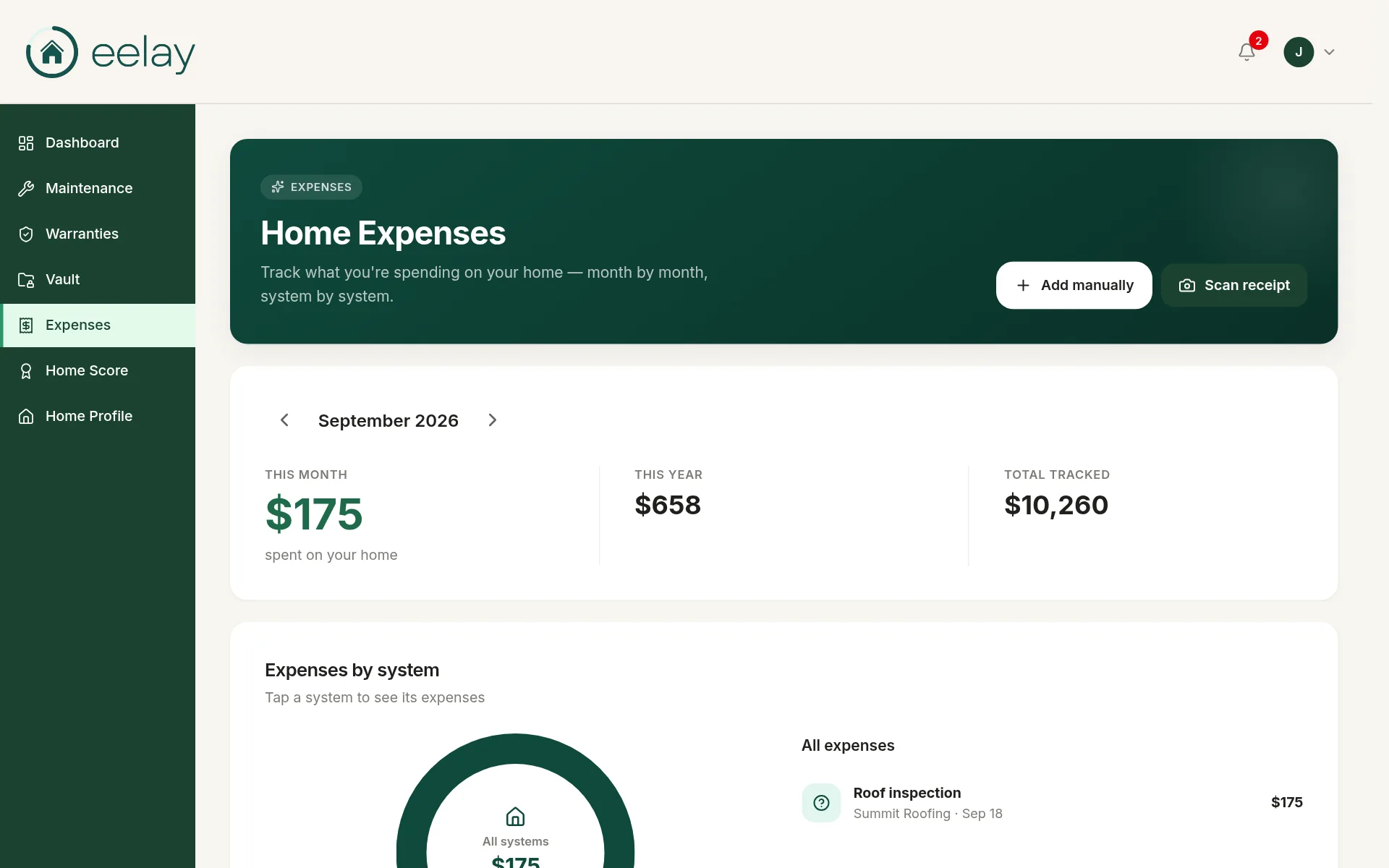
Tap the screenshot to see it full size. Add an expense
Choose Add manually and enter a name, amount, date, category and the system it relates to.
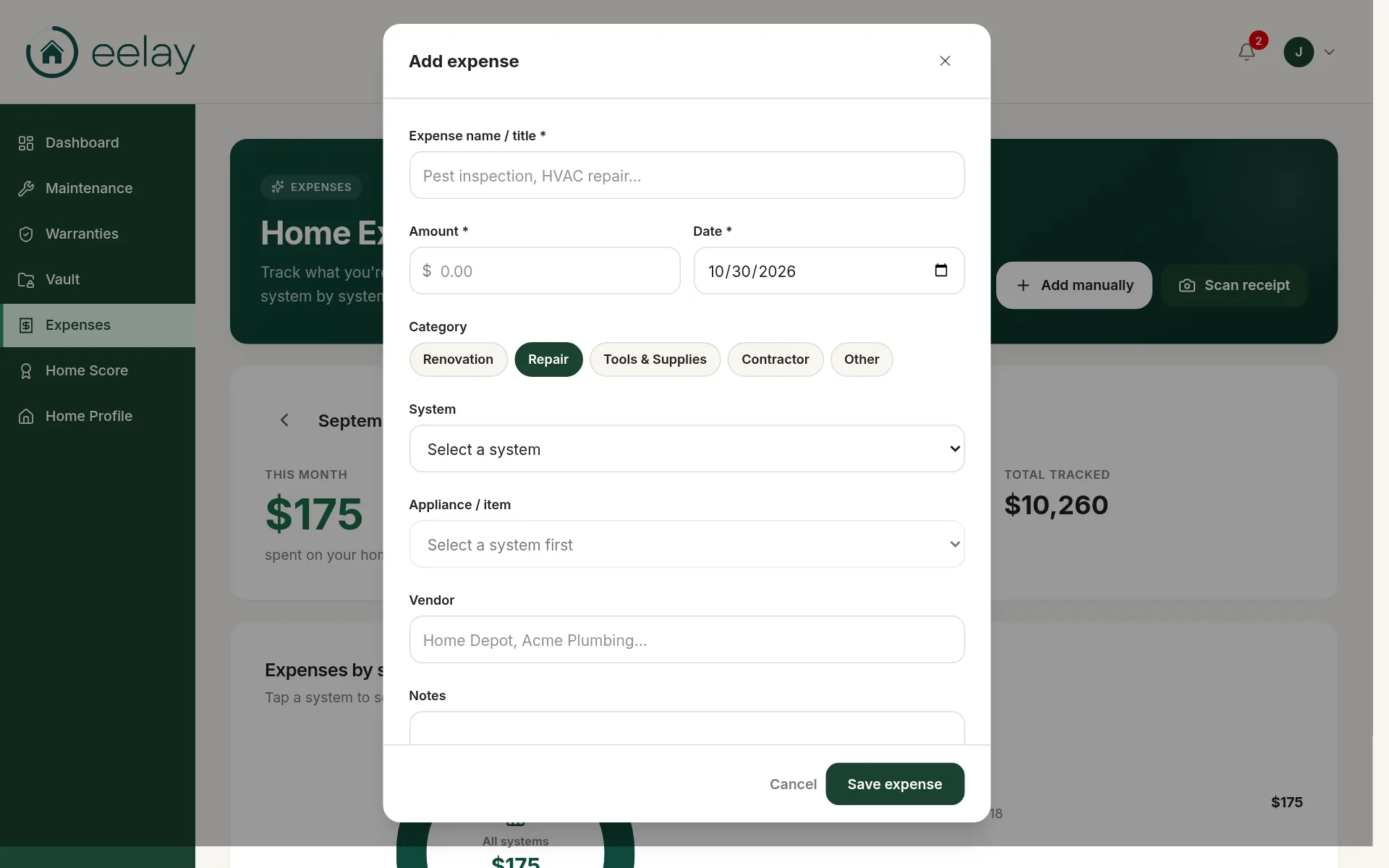
Tap the screenshot to see it full size. Or scan a receipt
Choose Scan receipt and snap a photo. Eelay fills in the details for you to review, and the receipt is saved in your Home Vault.
Log costs from a task
After finishing a maintenance task, use Log expense to record what it cost.
Common questions
- Is Expenses on the free plan?
- Expense tracking is part of Eelay membership. Every membership starts with a 30-day free trial, so you can try it before paying.