Home Vault · 3 min read
Uploading and Organizing Home Documents
Where should I store my home documents and manuals?
Upload your home documents to the Eelay Home Vault and tag each one with a type and the system or appliance it belongs to. Your files stay private to your account, and you can preview, download, edit or delete them anytime.
- Find any manual or receipt in seconds
- Private storage only you can access
- Receipts can feed your expense history
Step by step
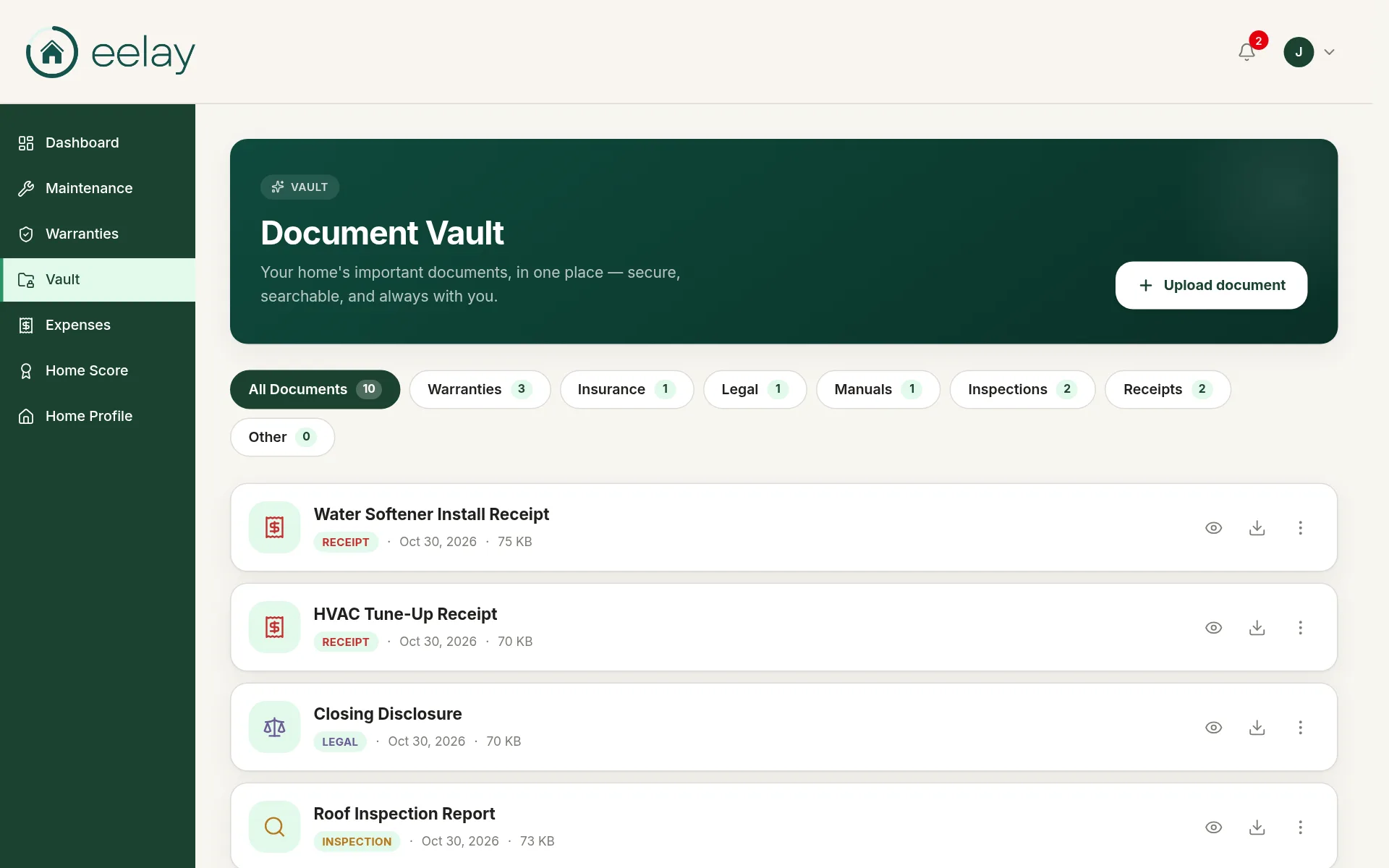
Open the Vault
Select Vault in the menu to see all your saved documents.
Tap the screenshot to see it full size. Upload a document
Choose Upload document, pick a file from your device and follow the short steps.
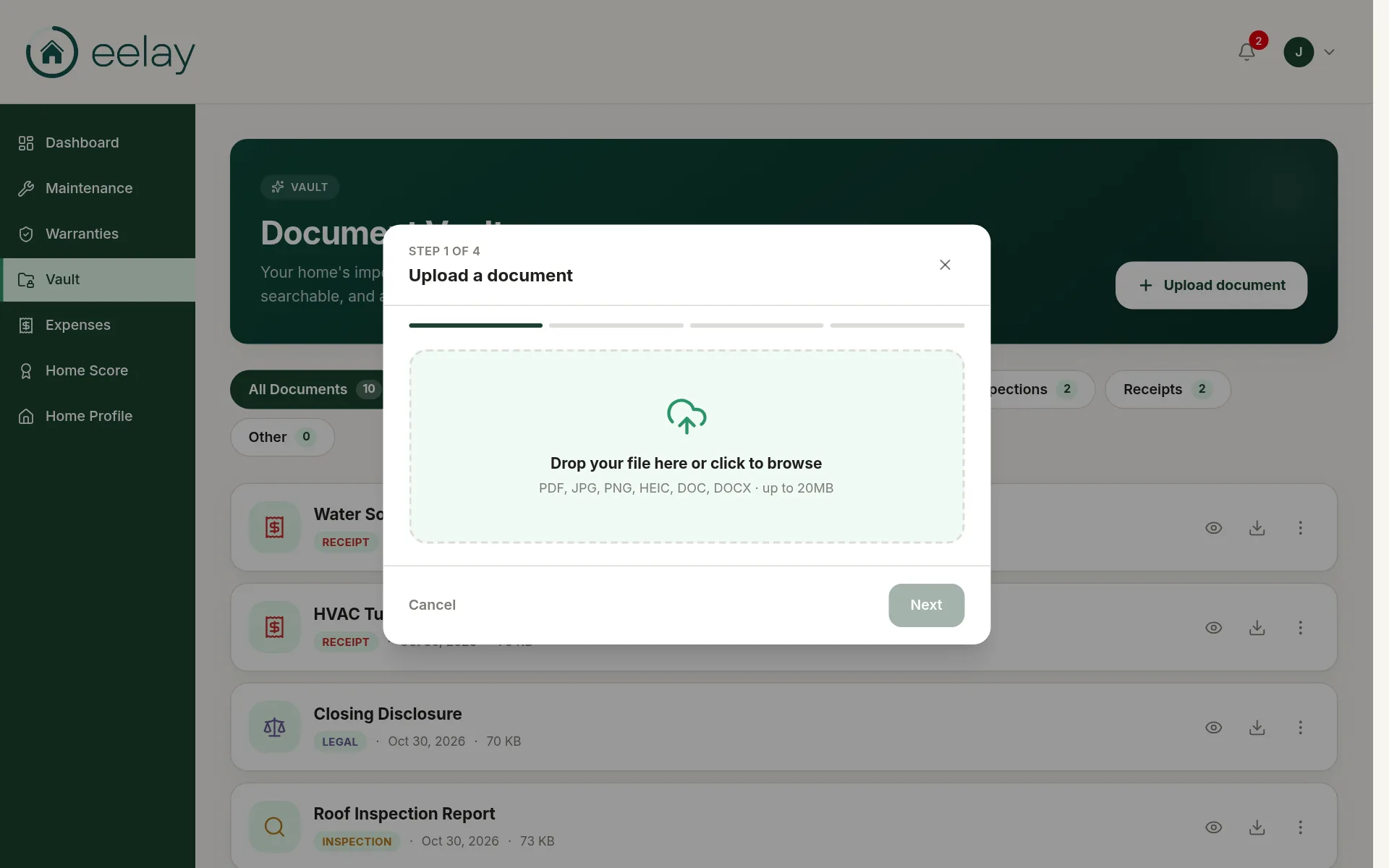
Tap the screenshot to see it full size. Tag it
Choose the document type and the system or appliance it relates to, like HVAC or Water Heater.
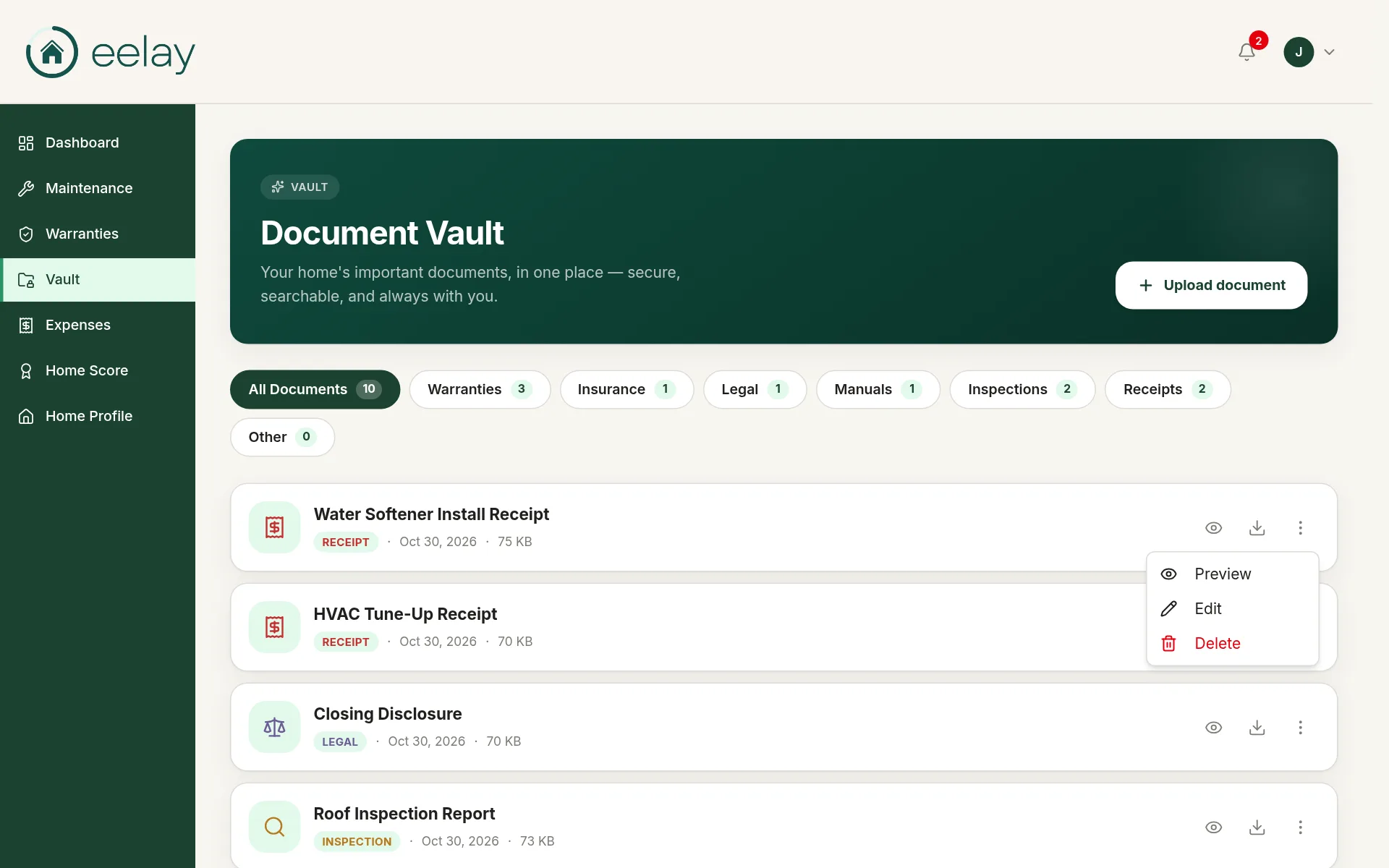
Preview, edit or delete
Use the three-dot menu on any document to Preview, Edit or Delete it.
Tap the screenshot to see it full size. Tip: Deleting a receipt also removes the expense created from it.
Common questions
- Who can see my documents?
- Only you. Vault files are stored privately and are not publicly accessible.
- Is the Vault included in the free plan?
- Free accounts can store one Vault document. Eelay membership unlocks unlimited document storage.