Basics · 3 min read
Getting Started with Eelay
How do I set up my home in Eelay?
Create a free account, enter your home address, answer a few quick questions about your home and appliances, and Eelay builds a personalized maintenance plan and Eelay Home Score for you. Your free account includes the maintenance plan and Home Score. Full membership starts with a 30-day free trial and requires a payment method.
- One place for maintenance, warranties, documents and expenses
- A plan tailored to the systems your home actually has
- A clear picture of how your home is doing today
Step by step
Create your account
Go to geteelay.com and choose Get started. Sign up with your email or a social sign-in.
Add your home address
Start typing your address and pick it from the suggestions. Choosing a suggestion keeps your address accurate.
Tip: Your address is locked after setup to protect your records. Contact support if it ever needs correcting.
Tell us about your home and appliances
Answer a few short questions and select the appliances and systems you have. Eelay only reminds you about equipment you actually own.
See your plan and Home Score
Eelay builds your maintenance plan and shows your starting Home Score on the Dashboard. A short tour walks you through the highlights.
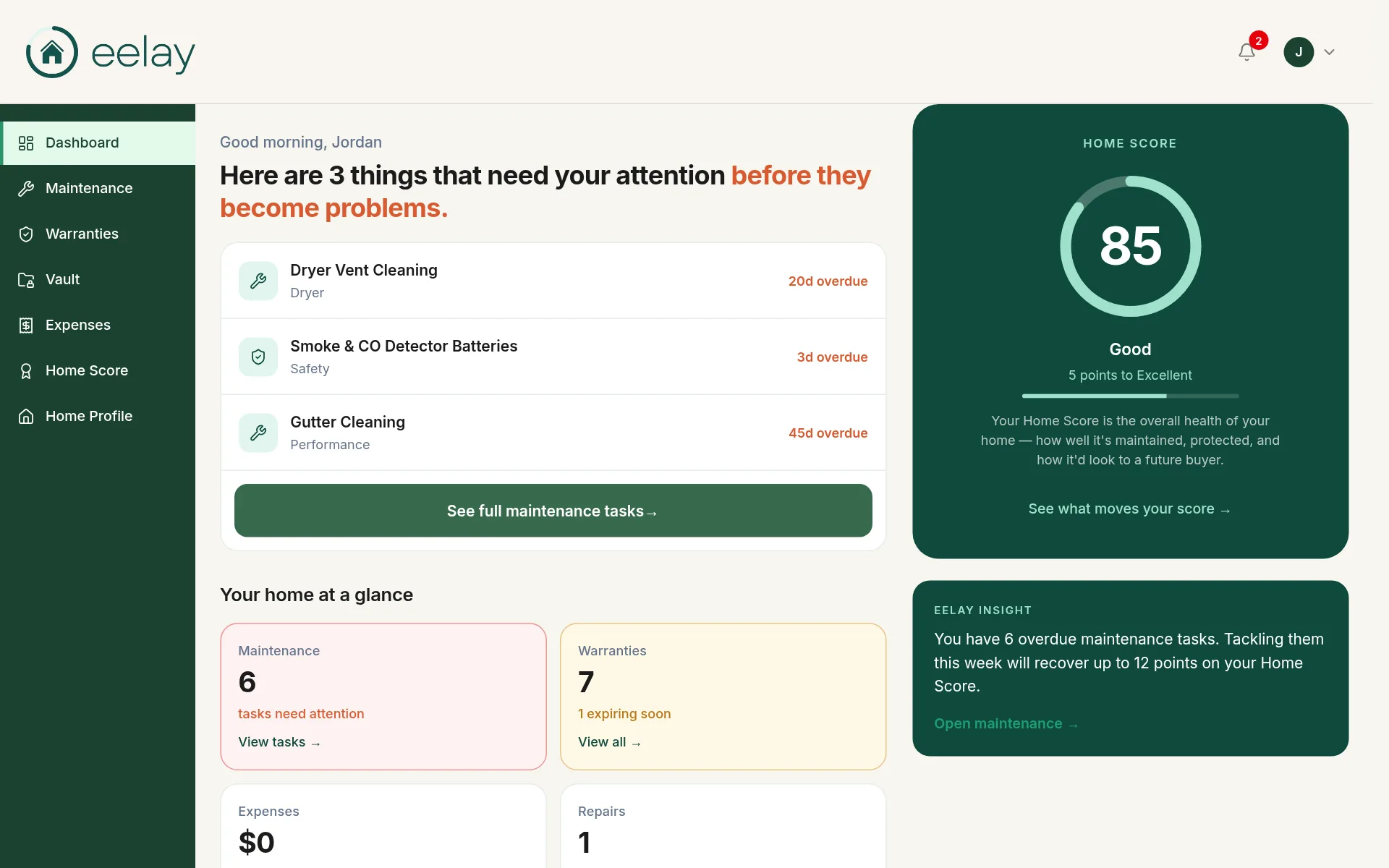
Tap the screenshot to see it full size.
Common questions
- Is Eelay free?
- A free account gives you your personalized maintenance plan, the Eelay Home Score, one warranty and one Vault document. Eelay membership unlocks unlimited warranties and documents plus Expenses. It starts with a 30-day free trial, and a payment method is required to begin the trial.
- Can I pause setup and come back later?
- Yes. If you leave during setup, you can sign back in and pick up where you left off.